Our verdict of the Roku Premiere:
Slick, easy, and rapid — the Roku Premiere is a fantastic software for this sort of low worth. Whilst it has minor niggles, with this sort of massive collection of apps in this sort of compact package deal, that is an incredible media streamer with 4K features at an unmissable worth.
The media streamer marketplace is at saturation level, with more than one gadgets to be had from all of the giant names. There’s Apple TV, Amazon Fireplace sticks and containers, Android TV devices, and Google Chromecast.
After which there’s Roku. With a few gadgets to make a choice from, their price range Roku Premiere is especially fascinating. It prices beneath $50, streams 4K video, and turns out to have an app for each and every provider you’ll call to mind, and reasonably a couple of you’ll’t.
However does the Roku Premiere ship at the efficiency promised at the field?
We’ve teamed up with Plex to provide an incredible giveaway package to 1 fortunate reader, consisting of a Roku Premiere, HD HomeRun Attach Duo TV-tuner, indoor antenna, and LIFETIME Plex Cross! You’ll in finding the access widget on the finish of this evaluate, and the bonus code within the video. Just right success!
Unboxing the Roku Premiere
Within the field, you’ll in finding the Roku Premiere (3920 fashion), USB cable, energy adapter, and a shockingly brief HDMI cable. Additionally within the field is an IR faraway regulate (Wi-Fi lovers can use the cell app), that includes pre-set channel shortcut buttons (together with Netflix) and two AAA batteries. In conjunction with a short lived set-up information, an adhesive strip could also be integrated.
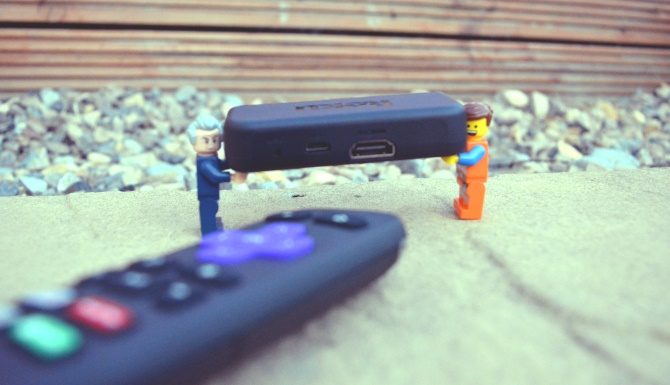
All of that is wrapped up in an orange field that guarantees a lot: “4K & HDR streaming made simple” and a number of loose and subscription products and services. If in case you have 4K content material, an appropriate web connection, and a TV with the considered necessary HDCP 2.2 compliant HDMI port, you’ll get 4K. Differently, the Roku Premiere is highest for same old 1080p content material, too.
Roku Premiere Specification
Roku Premiere | HD/4K/HDR Streaming Media Participant, Easy Far flung and Top class HDMI Cable Roku Premiere | HD/4K/HDR Streaming Media Participant, Easy Far flung and Top class HDMI Cable Purchase Now On Amazon $31.99
At the face of it, the Roku Premiere is extremely unimpressive. It’s a small plastic slab, measuring three.30 x 1.40 x zero.70 inches and weighing simply 1.28 oz.. At the again is a unmarried micro-USB energy port and a unmarried HDMI port. You’ll additionally discover a small reset button, accessed the use of a pin.
For connecting the Roku Premiere for your community, there’s an 802.11bgn single-band wi-fi chip.
On the middle of the Roku is a quad-core ARM Cortex A53 CPU with 1GB of RAM and 512MB channel garage. There’s no microSD card slot with the Roku Premiere.
The software can care for 4K UHD as much as 2160p at 60fps, and helps HDR10 and HLG (Hybrid Log-Gamma). Audiophiles can revel in DTS Virtual Encompass and Dolby Audio, with Dolby ATMOS move via over HDMI, and Virtual stereo over HDMI.
Are you able to attach Roku for your TV? Smartly, you probably have an HDTV or higher, you must be nice. The field can circulate to straightforward HDTVs with 1080p, in addition to upscaling 720p.
For 4K UHD TVs, the Roku streams as much as 2160p at 60fps (3840×2160) with up-scaling from 720p and 1080p. For this, the 4K TV must have an HDMI enter that helps HDCP 2.2. The Roku Premiere too can circulate at HDR10 to 4K UHD HDR TVs, the use of the similar HDCP 2.2 HDMI enter.
Observe: as most of the people personal a 1080p HDTV, we’ve reviewed the Roku Premiere on this sort of software.
Surroundings Up the Roku Premiere
Whilst simple to arrange and set up, the Roku Premiere comes with a few positional demanding situations.
- How must you energy it?
- The place must you put it?
Each are easy. The software ships with its personal USB energy adapter, so if there’s a mains electrical connection close by, use this. Then again, this isn’t at all times the case. Thankfully, most present TVs be offering a 5V USB energy outlet which is perfect for the Roku Premiere.
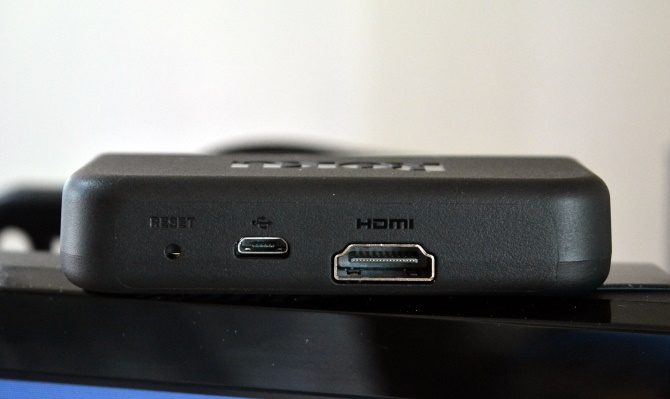
With the facility taken care of out, positioning is the following problem. The Roku Premiere is compact and light-weight sufficient to be fastened in your TV. It comes with a double-sided adhesive strip to glue the software to the highest or backside of your tv. If there’s a constant floor for the adhesive, the Roku Premiere may also be reliably hooked up. Given the duration of the HDMI cable, it is sensible to stay the software on the subject of your TV.
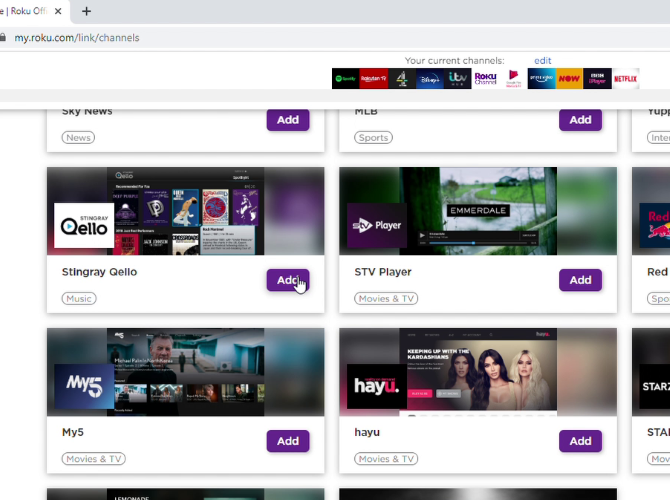
Hooking up the Roku Premiere to Wi-Fi is easy, as is all the arrange procedure. You’ll wish to arrange your Roku account on a PC or pill, then again, with the intention to turn on the software. It is a easy procedure that is helping you initialize the Roku to your territory and obtain the related choice of apps. As soon as that is achieved you’ll transfer again to the Roku Premiere itself so as to add channel apps, log in or create new accounts, and get ready for viewing.
It’s honest to mention that the whole lot about this unit, from the compact dimension and ergonomic faraway regulate to the simplicity of the person interface, makes it appropriate even for essentially the most tech-averse individual .
Any other instance: the material tab at the faraway’s battery compartment. Not more suffering together with your faraway’s battery duvet—it actually pulls off to will let you temporarily trade the batteries. The faraway itself is gentle, simple to make use of, and sits effectively to your hand. The loss of quantity regulate is a wonder, however a minor sadness.
The entirety about Roku is designed with usability in thoughts. It’s a fantastic philosophy that will get a large thumbs up.
Discovering and Putting in Apps on Roku Premiere
The Roku Premiere includes a huge choice of channels that may be put in or got rid of like apps. Amongst those are giant names reminiscent of Netflix, Google Play TV, and Apple TV. The choice depends upon the place you are living, so some apps don’t seem or gained’t paintings particularly territories.
1000’s of channels are to be had general. You’ll even in finding such things as Plex and HD Homerun for streaming video and TV from your personal networked gadgets.
Different channel apps come with Disney+, High, Apple TV, Now TV, and YouTube. Channels are divided by means of class, and the platform even helps elementary video games.
Managing apps at the Roku Premiere is simple, too.
You’ll be able to and delete as essential, and the settings display opens an entire host of choices. You’ll be able to trade the theme, the screensaver, allow community get admission to for cell apps, manufacturing facility reset, device replace, trade the language, or even start up a visitor mode. This shall we guests to your own home enter their very own credentials for a particular app. An invaluable choice for borrowing Disney+ to catch the most recent addition to the provider with family and friends.
As famous, the Roku has 512MB of channel garage. I spent round 30 mins discovering and putting in apps with out operating out of area, so until you’re actually indecisive you most likely gained’t hit that restrict.
Lacking Channels? Use Mirroring
Extremely, regardless of having 100s of channels, the Roku Premiere would possibly now not function a channel app you wish to have to make use of. For instance, in the United Kingdom there’s no Britbox app (despite the fact that america model is indexed). In a similar fashion, there’s no Kodi app for Roku.
So, what’s the answer? Thankfully, Roku helps display mirroring. All you wish to have to do is open Settings > Gadget > Display screen Mirroring, then make a choice whether or not to permit all connections or factor a urged.
At the software you’re mirroring from, use the mirroring choice. So, on Android, use a mirroring app quite than Chromecast. We attempted it out on Home windows, Android, and iOS—the cell gadgets labored while Home windows 10 didn’t. Connection used to be made, however no streaming used to be established, regardless of a number of makes an attempt and reboots.
Surroundings Up Roku Premiere with HD Homerun DUO and Plex
This evaluate is all in regards to the Roku Premiere, however because of Plex, our implausible prize package additionally contains an HD Homerun DUO, HDTV indoor UHF antenna, and a Lifetime Plex Cross.
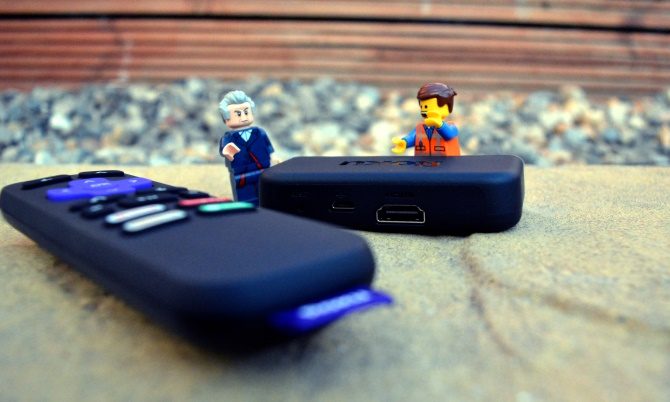
However how neatly do those programs play in combination?
Smartly, we expect you’ll be inspired. Whilst the HD Homerun DUO Wire Cutters! Circulate and Report Reside TV with Plex and the HD HomeRun Duo If you are on the lookout for a handy guide a rough and simple way to are living over-the-air TV whilst you ditch cable, Plex’s new DVR options are a good way to do it, powered by means of the HD HomeRun Attach Duo. Learn Extra calls for a robust, constant terrestrial HDTV sign, it’s simple so as to add for your community. Simply plug it into your router the use of Ethernet, hook up the antenna (interior or exterior), and over the air TV may also be seen on any appropriate software. The Roku Premiere options an HD Homerun app, so any TV you’re lacking may also be loved that manner.
Plex Mastering Plex Media: The 25+ Easiest Guidelines, Methods, Tutorials, and Guides Learn Extra has expanded lately, now providing content material simplest to be had with a Plex Cross along side your personal media hosted on a community power. The Plex app on Roku simply connects for your present Plex server, giving get admission to to each and every media report you wish to have.
Roku: The Absolute best Plex Spouse
Over time I’ve used a number of media streamers, from Apple TV and Chromecast to Amazon Fireplace TV and Chromecast Extremely. All of them have their benefits and drawbacks, however none are as simple to make use of and slick as Roku.
Roku Premiere | HD/4K/HDR Streaming Media Participant, Easy Far flung and Top class HDMI Cable Roku Premiere | HD/4K/HDR Streaming Media Participant, Easy Far flung and Top class HDMI Cable Purchase Now On Amazon $31.99
After all, the Roku Premiere has some shortcomings. HDMI-CEC—the device that permits your TV faraway to regulate a media streamer or vice versa—turns out inconsistent. There could also be a loss of quantity regulate. Display screen mirroring from Home windows 10, in the meantime, seems fraught with pitfalls and is most likely highest have shyed away from. The loss of Kodi could be a deal-breaker, too.
Then again, those are minor. General, this can be a nice media streamer, at a shockingly low worth for 4K and HDR. It’s simple to arrange, unusually easy to make use of, and you most likely gained’t use your same old TV decoder for days after putting in the Roku Premiere.
Input the Festival!
Associate Disclosure: Via purchasing the goods we advise, you assist stay the web site alive. Learn extra.


